The End of MDM Lock-In: Apple's New Tool Changes the Game
A Mobile Device Management (MDM) system is essential for most IT professionals, offering a unique mix of conveniences, security, and record-keeping that makes it one of the most valuable tools for both end users and those behind the scenes.
But what happens when that tool gets dull, or your organization's needs change? How do you navigate moving such an essential element of your IT landscape? For most, the answer is: you don’t.
For decades, switching MDMs was a non-starter. The process was simply too disruptive, often requiring a full device wipe or significant end-user downtime. This forced organizations to stick with 'the devil they know' rather than migrating to a tool that fits their needs.
Thankfully, with the release of the macOS 26 lineup, that's finally changed. We covered the announcement of this new Device Management Migration feature after WWDC, and now we've used it in the real world. This hands-on overview provides what you need to know if you’re considering a switch.
A New Hope: How the New Migration Works
The entire migration process is now controlled from within Apple Business Manager (ABM) or Apple School Manager (ASM). The admin workflow is simple:
An admin logs into ABM/ASM.
They navigate to "Devices" and select the devices to migrate.
They choose "Assign Device Management" and select the new destination MDM server from their list.
Note: Details on adding additional MDMs to Apple Business/School Manager can be found here.
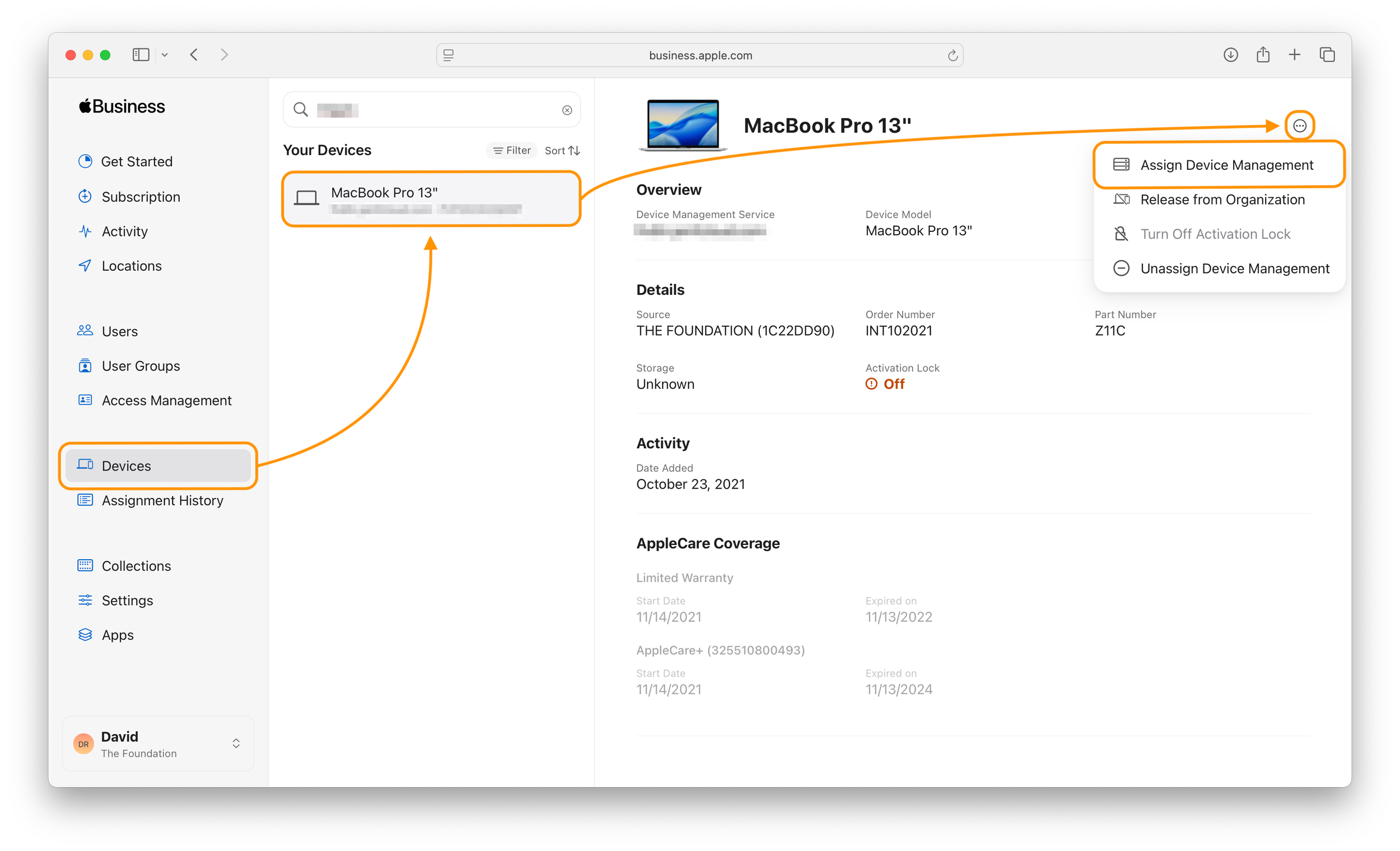
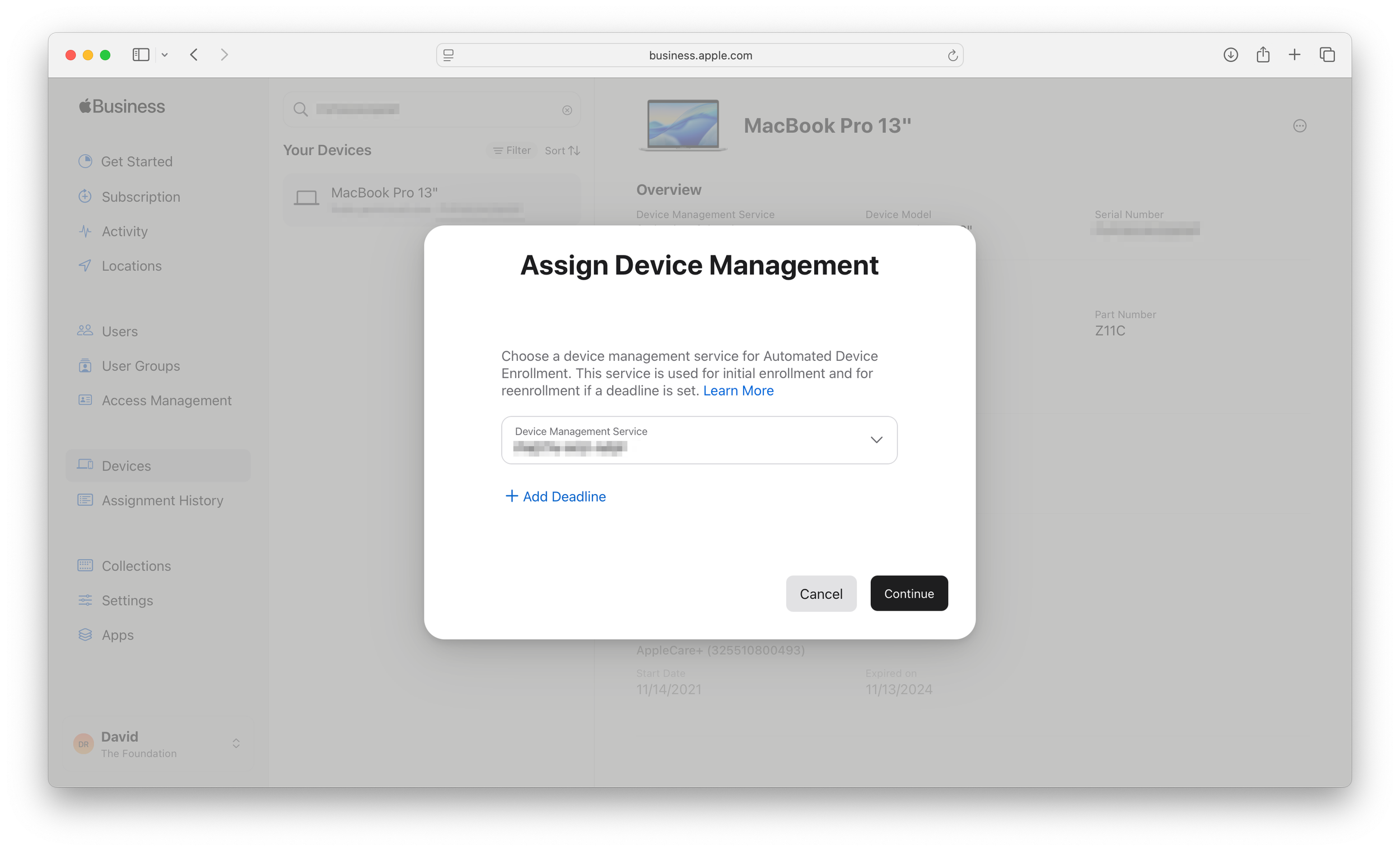
You have 20 seconds to comply...
After selecting the new MDM, the new key tool is the "Add Deadline" option. This is where some of these new features really shine.

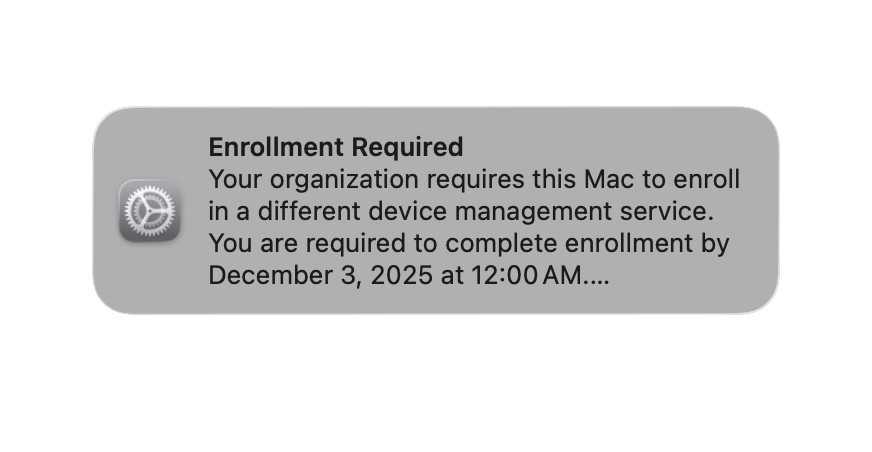
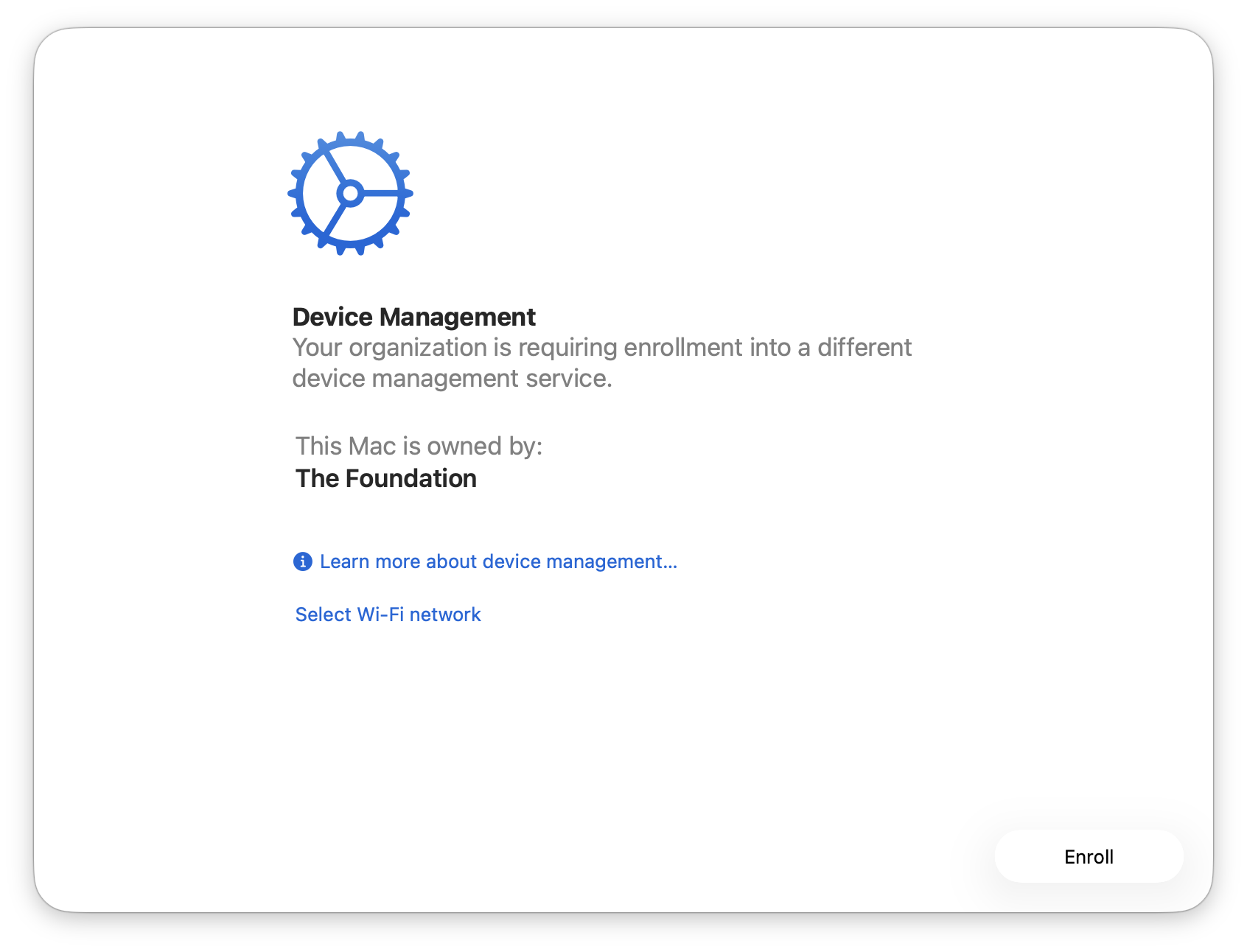
If a deadline is set: [Recommended] the user receives escalating notifications (daily, then hourly) as the deadline nears. If ignored, the migration is enforced at the deadline. On macOS, users see a nondismissible, full-screen prompt that blocks all other use until they enroll.
If no deadline is set: The migration is optional. The user gets no prompts and must start it manually from Settings. This is great for testing or a slow rollout.
Admins can also view "pending migrations" in ABM/ASM and cancel them at any time before the user starts them.

Super easy, barely an inconvenience.
So what does this mean for the user experience? Previously, an MDM migration was a substantial, productivity-halting event. Users often had to surrender devices to IT for a full "wipe and reload," leaving them offline for hours. They’d lose custom settings and local data, having to spend hours re-configuring their machine from scratch. (Let’s hope they backed up their data!)
With the new Tahoe-based migration, this disruption is substantially reduced. The user can continue working while the new MDM assignment is delivered in the background. Instead of a complete wipe, the user only sees a few notifications as new profiles are installed and old ones removed. Data, applications, and personal settings remain intact, turning hours of downtime into a minor blip in their day.
Note: Depending on the specifics of your enrollment workflow, some apps may still be reinstalled (e.g. as part of an Installomator enrollment)
This is a power-up, not a cheat code.
All that’s to say, the most important takeaway from our real-world use is this: While this simplifies the device's enrollment, it does not automate your prep work.
Before migrating a single device, you must manually document and rebuild your entire environment in the new MDM. Once that’s done, you also need to ensure devices in your fleet meet the requirements to leverage these new features. Here’s what that looks like:
Part 1: The Rebuild (What Doesn't Migrate)
Once you’ve decided on your new MDM platform, you’ll need to spend the time to reconfigure the following items:
Configuration profiles (critically, Wi-Fi credentials)
Security policies (FileVault, Firewall, Activation Lock)
Privacy Preferences Policy Control (PPPC) profiles
Applications and software deployment workflows
Custom scripts and packages
Part 2: Prerequisites & Limitations
Not all devices in your fleet will be able to use the new migration tool. It’s only comparable with the following devices:
Hardware Prerequisites:
Running macOS 26 (Tahoe), iOS 26, or iPadOS 26.
All devices must be in ABM/ASM.
Mac devices have been enrolled via Automated Device Enrollment (ADE) or manually.
iOS/iPadOS devices must have been enrolled via ADE (manual enrollment not supported).
Devices added via Apple Configurator must be past their 30-day provisional period.
Current Limitations:
Shared iPads are not supported.
Devices enrolled in Apple Business Essentials are not supported.
Note: if the "Add Deadline" option is grayed out, this is not a bug. It means the selected device doesn't meet the prerequisites (most often, it hasn't been updated to macOS 26 yet).
Break Down The Wall
By building this tool, Apple has neutralized the "vendor lock-in" that defined the MDM market for the last decade. The high friction of migration is gone, and vendors can no longer compete on being "hard to leave." They must now compete on:
Price: Lower per-seat cost and lower seat minimums.
Modern Architecture: Support for things like Declarative Device Management (DDM) and Platform SSO.
UI & Ease of use: The quality of the admin console, with detailed filtering and reporting.
General Reliability: Commands are executed quickly, and scripts run without errors.
We have an excellent breakdown of the current MDM landscape, ranging from established players to emerging up-and-comers.
This Is The Way: Brighter Days for Endpoint Management
With the release of the macOS 26 lineup, Apple has successfully addressed one of the single most significant points of friction for its enterprise customers. Migrating between MDMs has now become attainable.
This is a seismic shift for those who felt stuck. The "vendor lock-in" that defined the market for the past decade is gone. Organizations are finally free to choose a provider based on features, price, and reliability, not just because they are "too hard to leave." This is the new standard for Apple endpoint management. And from our perspective, it’s a welcome change.